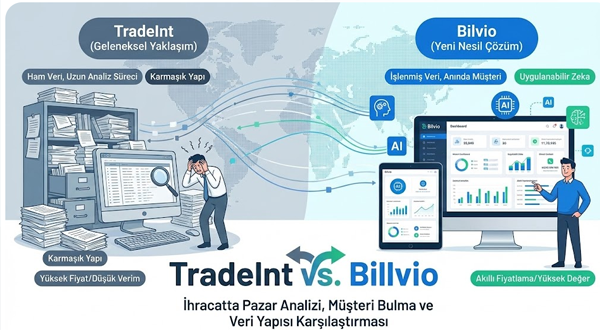
TradeMap tells you that Germany imported $4.2 billion worth of HS 6403 footwear last year. It will not tell you which German companies bought it, how often they reorder, or which supplier they switched away from to get a better price. That gap is why so many export teams who start their market research on TradeMap end up searching for something else within a few weeks. I’ve watched this pattern repeat across exporters from Turkey, India, and Vietnam: TradeMap answers “is this market worth entering,” then bilvio goes quiet exactly when the question becomes “who do I call.” Platforms like Bilvio exist to close that second half, working from bill-of-lading and customs shipment records to name the actual importers behind the aggregate numbers TradeMap reports. This article walks through TradeMap’s real strengths, where it stops being useful for outbound sales, and the specific alternatives worth evaluating depending on what you’re actually trying to do.
What TradeMap Is Actually Built For
TradeMap is maintained by the International Trade Centre (ITC), a joint agency of the World Trade Organization and the United Nations, and it has been the default starting point for trade research since the early 2000s. It aggregates customs statistics reported by national governments, covering trade flows for over 220 countries and territories at the HS code level, typically down to 6 digits and in some cases national tariff-line detail for a handful of markets.
What TradeMap does well is macro analysis. You can pull total import value for a product category into a target country, see the top supplying countries and their market share trends, check applied tariffs and preferential rates under trade agreements, and compare year-over-year growth across markets. For a market entry memo, a trade fair pitch deck, or a board presentation justifying why you’re allocating budget to Poland instead of Romania, TradeMap remains hard to beat, and it’s free.
The structural limitation is that TradeMap reports country-to-country and country-to-product flows, not company-to-company transactions. It answers “how big is this market” and “who are the competing supplier countries.” It does not answer “which companies inside that market are buying” because national customs agencies report aggregated statistics to ITC, not shipment-level company records.
Why Exporters Start Looking for Alternatives
The search for “similar platforms to TradeMap” almost always comes from one of three triggers. First, a sales manager has already picked a target market using TradeMap and now needs a prospect list, something TradeMap structurally cannot produce. Second, someone hits TradeMap’s query limits or finds the interface too aggregated for procurement-level decisions, for example when a category needs 8- or 10-digit tariff detail that only some countries publish. Third, a company wants to track a specific competitor’s export volumes and buyer relationships, which requires transaction-level records rather than country totals.
None of these are flaws in TradeMap. They’re use cases TradeMap was never designed to serve. The honest framing is that TradeMap and company-level trade intelligence platforms sit at different points in the research pipeline, and most serious export teams end up using both rather than picking one.
Free Aggregate-Data Alternatives: UN Comtrade and WITS
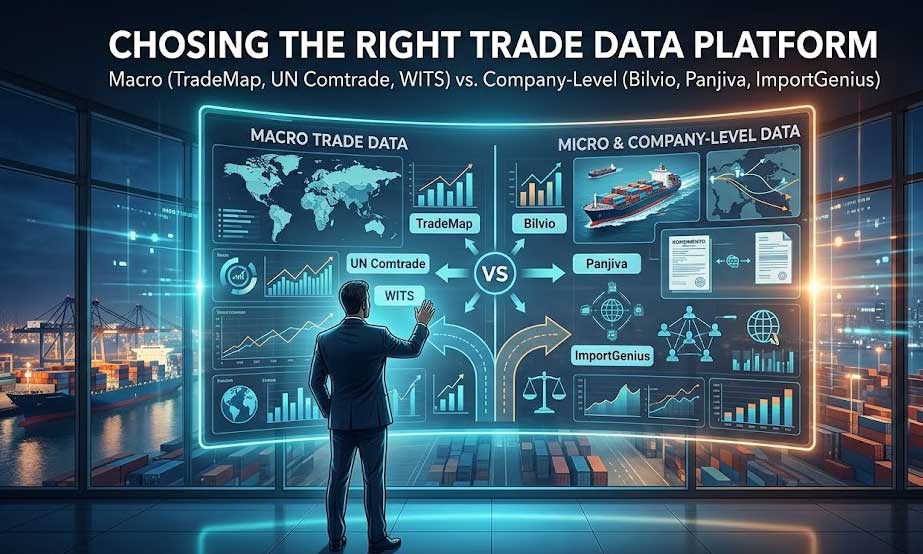
If your issue with TradeMap is the query cap or you want to cross-check a number, UN Comtrade is the primary data source that TradeMap itself draws from, and querying it directly sometimes gives more granular access to raw customs statistics without ITC’s presentation layer. The World Bank’s World Integrated Trade Solution (WITS) pulls from the same underlying data but adds stronger tariff and non-tariff measure analysis, which matters if your alternative-platform search is really about trade policy research rather than buyer discovery. Both remain aggregate, country-level tools. Switching between TradeMap, Comtrade, and WITS solves a data-access or presentation problem. It does not solve the “who is buying” problem.
Paid Statistical Platforms: Trade Data Monitor and Similar Tools
A step up from the free tools, platforms like Trade Data Monitor offer faster data refresh cycles (monthly rather than TradeMap’s typical lag of several months to a year depending on the reporting country), better tariff-line granularity for major markets, and cleaner export tools for analysts who need to build recurring reports. These platforms are still working with government-reported aggregate statistics, so they inherit the same core limitation as TradeMap: no company names, no shipment records, no buyer contact data. They’re worth the subscription cost if you have a dedicated trade-analysis function producing internal market reports on a regular cadence. They’re the wrong purchase if what you actually need is a list of importers to email this quarter.
Company-Level Alternatives: Where Bilvio, Panjiva, and ImportGenius Fit
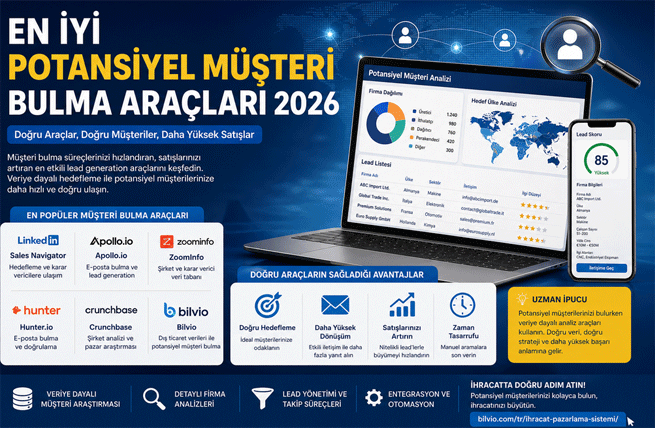
This is the category most people mean when they search for a TradeMap alternative, even if they don’t have the vocabulary for it yet. These platforms work from bill-of-lading manifests and customs shipment declarations rather than aggregated government statistics, which means the output is a named company, a shipment date, a product description, sometimes a quantity and unit price, and in the better platforms, contact information for the buying organization.
The catch is data coverage, and it varies more than most comparison articles admit. ImportGenius and ImportYeti built their businesses primarily on U.S. Customs bill-of-lading records, which are public information under U.S. law, so their strength is showing you who is importing into the United States. Panjiva, now part of S&P Global, layers supply-chain risk scoring on top of similar customs and shipping data, again with a heavy U.S. and increasingly global ocean-freight tilt.
Bilvio’s approach, [built around global customs and bill-of-lading records](INTERNAL: how-bilvio-trade-intelligence-works), was shaped by working with exporters based outside the U.S. from day one, with particular depth in markets that Turkish, Indian, Egyptian, and Eastern European exporters actually sell into, alongside HS-code lookup, trade-map style visualization, and target-market analysis built to sit next to the buyer records rather than as a separate tool. For a sales manager whose target markets are Germany, Poland, Saudi Arabia, or Kazakhstan rather than the U.S. import market, that regional depth matters more than brand recognition.
Smaller players in this space worth knowing by name, since they come up in the same searches: BigTradeData and TradeData.pro both offer bill-of-lading search at lower price points with narrower country coverage, Globalwits focuses on combining customs data with company financials for credit-risk-adjacent research, and Vujis positions itself similarly to Bilvio as a buyer-discovery tool for exporters. Coverage depth and update frequency differ enough between all of these that it’s worth requesting a sample export for your specific HS code and target country before committing to a subscription, rather than trusting a features page.
Aggregate Statistics vs. Shipment-Level Intelligence: Picking the Right Layer
I’d push back on treating this as a single decision. The two categories answer different questions and most export operations that do this well use both, in sequence, not as competitors.
Use TradeMap, Comtrade, or WITS first when you’re deciding which country to enter, sizing the opportunity for an investor deck, checking whether a trade agreement changes your tariff exposure, or benchmarking your export volume against total market demand. This is a monthly or quarterly research task, not something a sales rep touches daily.
Move to a company-level platform once the market decision is made and the question becomes operational: who are the 40 companies in Germany actually importing HS 6403 footwear right now, which of them switched suppliers in the last two quarters (a strong buying-intent signal), and what’s the right entry point for outreach. This is [buyer discovery work](INTERNAL: how-to-find-verified-importers-using-customs-data) that a sales manager or business development rep should be running weekly, not annually.
Skipping straight to shipment-level tools without doing the macro pass first is the more common mistake I see, actually, more than the reverse. Teams buy a customs-data subscription, get excited about a list of 200 importer names, and spend three months cold-emailing a market that TradeMap would have told them in ten minutes is shrinking 12% a year against a stronger competing supplier country.
A Practical Workflow: Combining TradeMap With a Buyer-Discovery Platform
Here’s the sequence I’d recommend to an export sales manager starting from zero on a new target market. Pull the TradeMap country and product report first to confirm import volume, growth trend, and your main competing supplier countries. Cross-check the tariff line against WITS if a trade agreement (an FTA, GSP, or customs union) might affect your landed price versus a domestic or preferentially-tariffed competitor. Once the market clears that first filter, switch to a company-level platform and pull the actual importer list for your HS code, filtering for companies with recent and repeat shipment activity rather than a single historical import. From there, [competitor shipment tracking](INTERNAL: competitor-export-tracking-guide) tells you which of those importers are currently buying from a named competitor of yours, which is a far stronger outreach signal than a cold list, since you know the company already imports the product category and you can frame your pitch against a specific incumbent. Bilvio’s platform was structured to make that middle-to-late part of the sequence, going from “here’s a market” to “here’s a company with a name and a shipment date,” the fast step rather than the slow one, which is usually where teams lose the most time between a market decision and the first outbound email.
Frequently Asked Questions
Is TradeMap free to use?
Yes. TradeMap is free and maintained by the International Trade Centre, a joint WTO and UN agency. Some advanced query volumes and historical depth may require registration, but the core country and product statistics are open access.
What is the main difference between TradeMap and platforms like Bilvio?
TradeMap reports aggregated country-to-country trade statistics by HS code. Platforms like Bilvio work from bill-of-lading and customs shipment records to identify the specific companies behind those trade flows, including buyer names and shipment history.
Can TradeMap show me the names of importing companies?
No. TradeMap’s data is reported at the government statistical level, not the shipment level, so it cannot show individual company names, contact details, or transaction-level records.
Is UN Comtrade the same as TradeMap?
No, though they’re closely related. UN Comtrade is the underlying raw data source; TradeMap is ITC’s presentation and analysis layer built on top of it. WITS, from the World Bank, uses the same underlying data with a stronger tariff-analysis focus.
Which alternative is best for finding new export buyers?
For buyer discovery specifically, shipment-level platforms such as Bilvio, Panjiva, or ImportGenius are the right category, not TradeMap or its free counterparts. Coverage strength varies by target country, so check regional depth for your specific markets before subscribing.
Do I still need TradeMap if I use a customs-data platform like Bilvio?
Generally yes. TradeMap answers market-sizing and country-selection questions that shipment-level tools aren’t built for. Most effective export research workflows use TradeMap for market validation and a company-level platform for buyer discovery, not one instead of the other.
How current is the data on these platforms compared to TradeMap?
TradeMap’s data typically lags six months to over a year depending on how quickly the reporting country submits statistics to Comtrade. Shipment-level platforms working from customs and bill-of-lading filings generally update on a weekly or monthly basis, which matters more for active sales targeting than for annual market sizing.
Neither TradeMap nor its statistical cousins were built to hand you a prospect list, and no company-level platform will tell you whether a market is worth entering in the first place. The mistake is treating this as a replacement decision rather than a sequencing one. Run the macro numbers first, then move to shipment-level data to find the actual companies behind them. That order saves months of outreach into markets that were never going to convert.